Fix Strict NAT (Type 3 / Type D) for PS5, Xbox, Nintendo & PC
Party chat, invites, hosting and joining friends finally work — even on some UK ISPs and 5G home internet. Plug in the box, press the mode button for Gaming Mode, and play.
Not sure it’s NAT? Start with the check page. If it’s a server/outage/subscription issue, we’ll tell you.
Why buyers choose it
- No router/ISP tweaking or port-forwarding guesswork
- Clear setup flow for WAN, LAN/Wi-Fi, and mode switch
- Built for NAT-sensitive party/invite/hosting scenarios
- Works with PS5, Xbox, PC, and common 5G/CGNAT setups
Purchase confidence
- Secure checkout via Stripe
- 30-day money-back guarantee
- Monthly service can be cancelled anytime
- Support and troubleshooting guides included
The problem
Strict NAT (PS5 NAT Type 3 / Xbox Strict NAT / Nintendo NAT Type D) often happens because your internet connection can’t accept certain inbound peer connections. This is common with restrictive routers, 5G home internet, mobile broadband and some ISP setups.
- Peer-to-peer party chat fails
- Invites don’t arrive or can’t connect
- Hosting a lobby/game doesn’t work
- Connections work “randomly” depending on who hosts
The solution
StrictNATFix gives your console a consistent, reachable connection so multiplayer features work as intended. We keep it simple: fix NAT-related multiplayer problems — nothing else.
- No ISP calls
- No port forwarding
- No guessing which ports to open
- Clear “check first” flow to avoid buying the wrong fix
How it works
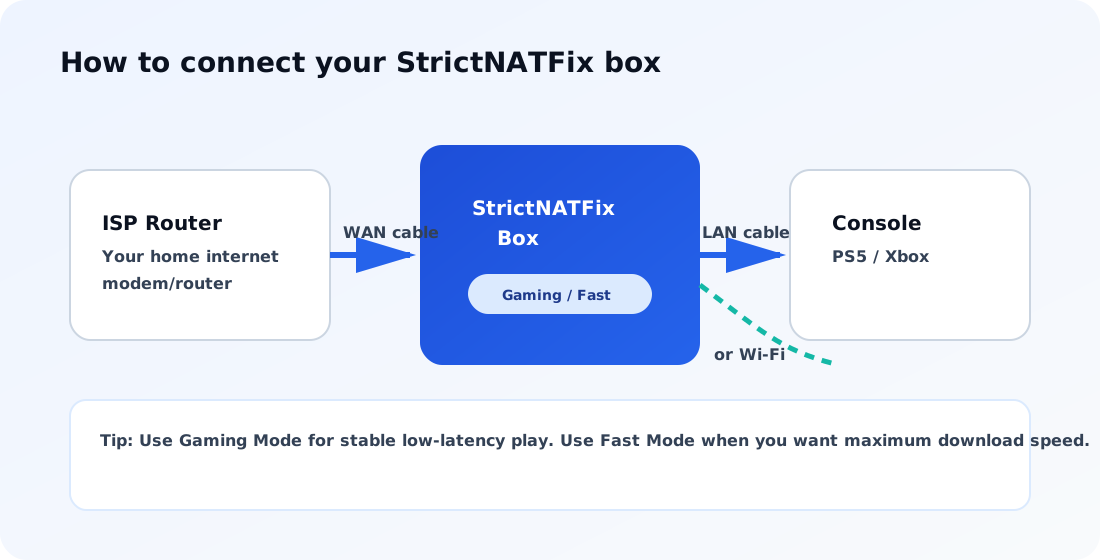
1) Plug in the box
Connect ISP router to box WAN, then connect your console by LAN or Wi‑Fi.
2) Choose your mode
Use the button: Gaming Mode for stable low-latency play, Fast Mode for maximum download speed.
3) Play online
Party chat, invites, hosting and joining friends start working consistently.
Simple setup
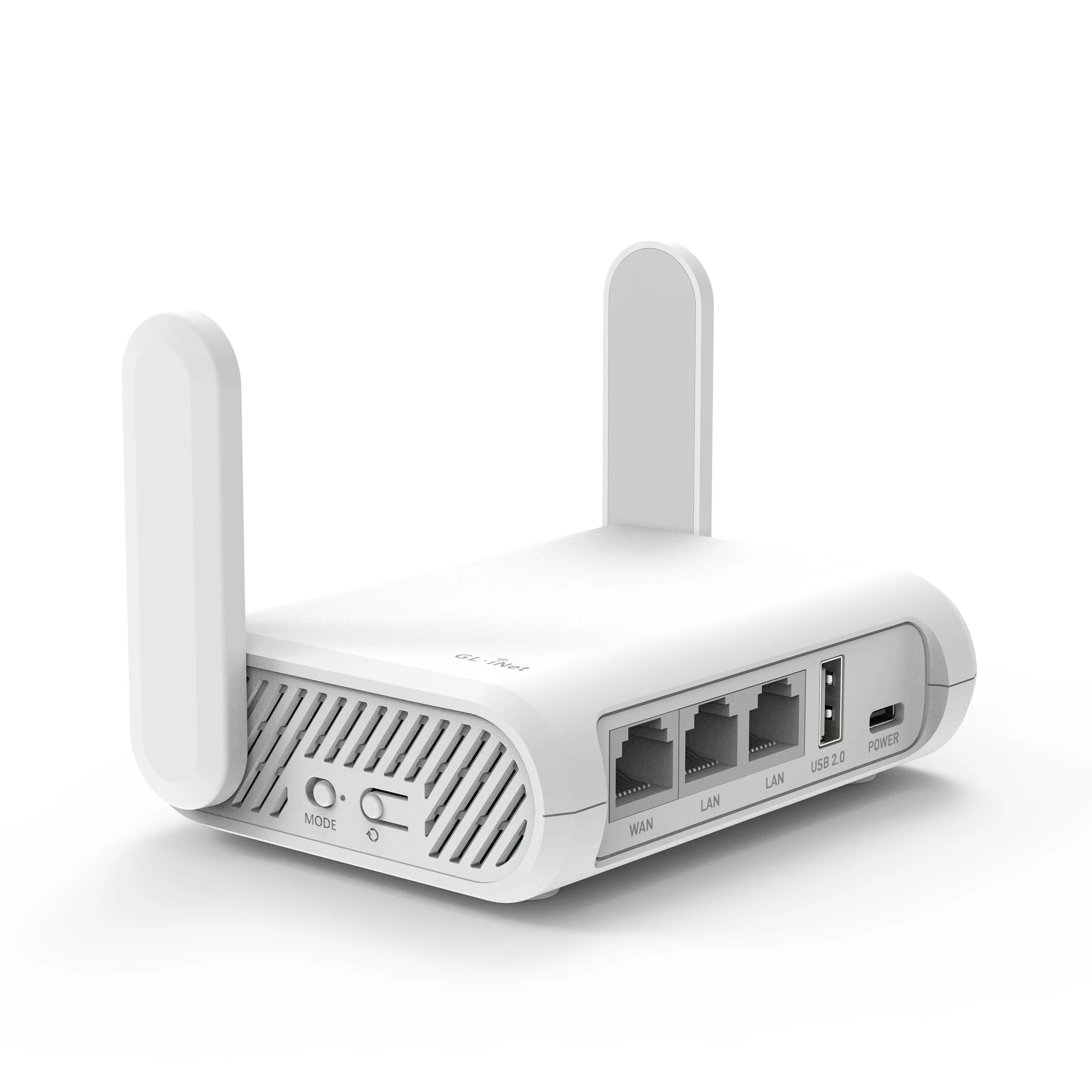
Mode switch position on the box
- Fast ISP Mode: toggle close to the reset button.
- Gaming Mode: toggle away from the reset button.
Want to avoid unnecessary changes? Use Check first to confirm it’s likely a NAT issue.
Works with
PlayStation
- PS5 / PS4
- NAT Type 3 symptoms
- Party chat & invites
Xbox
- Xbox Series / Xbox One
- Strict / Moderate NAT issues
- Joining friends & hosting
PC & more
- PC multiplayer where P2P is involved
- Some Nintendo Switch games
- Nintendo Switch NAT Type D connectivity issues
- Works great on 5G / mobile broadband setups
Is this right for you?
Great fit if
- Your console shows NAT Type 3 / Strict / Moderate / Type D NAT
- Party chat or joining friends fails unpredictably
- You want gaming stability over raw download speed
Probably not needed if
- Your issue is game-server/platform outage related
- You only want faster file downloads
- Your connectivity is already game-friendly and stable
What this does (and doesn’t) do
It fixes
- Strict NAT / NAT Type 3 / NAT Type D symptoms
- Party chat connectivity
- Invites and joining friends
- Hosting games/lobbies
It does not
- Increase download speed
- Bypass game subscriptions
- Fix platform outages or game server downtime
- Replace your ISP or home router
If your multiplayer issue is caused by an outage, subscription or server problem, the Check page will point you to the right fix.
Simple pricing
Hardware
Strict NAT Fix Box (GL-SFT1200)
£55.00 one-time
Includes box, cables, and setup guide.
See full setup detailsService
Gaming connectivity service
£12.99 / month
First month from £67.99 + shipping/VAT.
- Includes 1 dedicated public IPv4 endpoint
- Cancel anytime
- Designed for NAT-sensitive multiplayer features
Risk-free
If it doesn’t fix your NAT issue, don’t keep it.
- 30-day money-back guarantee
- Clear setup steps
- Support + troubleshooting guides
FAQ
What does Strict NAT / NAT Type 3 / NAT Type D mean?
It usually means your connection can’t accept certain peer-to-peer connections used for party chat, invites and hosting. On Nintendo Switch this often appears as NAT Type D. This is common on 5G home internet, mobile broadband and some ISP NAT/CGNAT setups.
Will this increase my ping?
In Gaming Mode, only the connectivity traffic that needs a reachable endpoint is routed through the service. Typical gameplay and downloads remain on your ISP path where possible, so the impact is usually minimal.
Do I need to change router settings or call my ISP?
No. The box is designed to work without port forwarding, UPnP tweaking or ISP changes.
Does this increase download speeds?
No. This solves NAT-related multiplayer issues (party chat, joining friends, hosting). It’s not a speed booster.
How do I know if my issue is actually NAT?
Use the Check page. Many problems are subscriptions, platform outages or server issues. We’ll help you identify whether you’re likely dealing with Strict NAT/CGNAT symptoms.
Ready to fix Strict NAT?
Choose your path: buy now, or run a quick check first.